Mobile app inventory

Feature Log

A product inventory of the OnSand mobile app: what players can already do, from finding games to running clubs, scoring matches, and managing training.

15
Feature areas
5
Main app tabs
Players, hosts, clubs
Audience
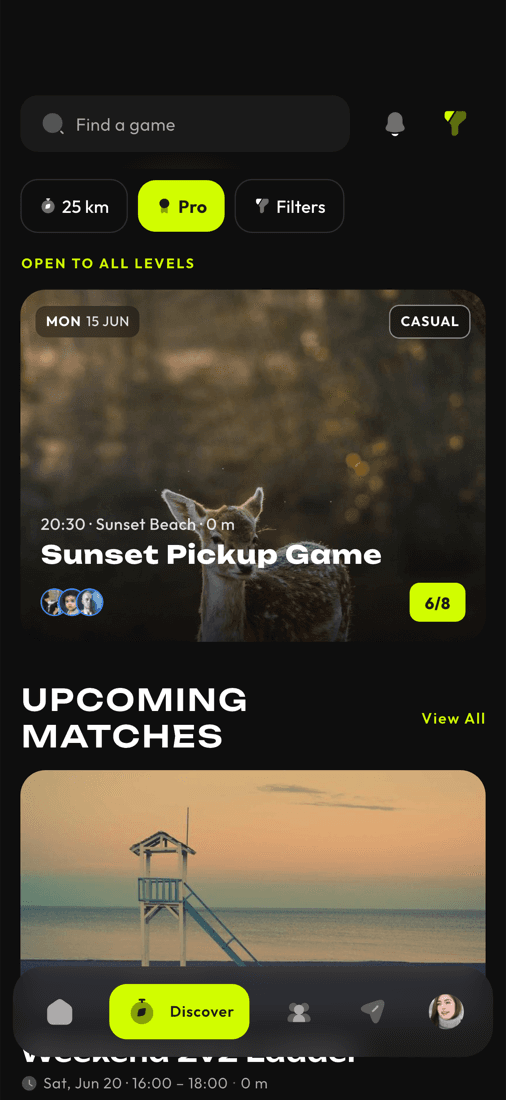
OnSand Discover screen

TL;DR

OnSand covers the full beach volleyball loop: discover and host games, invite players, manage clubs and training groups, score and verify matches, message your crew, track progress, browse locations, and stay current through notifications and updates.

This page is a feature log, not a release changelog. It groups the current mobile app surface by user job and gives each area a quick TL;DR plus a longer summary.

01 / 15

Games, matchmaking, and hosting

Find, create, join, host, invite into, and manage beach volleyball games.

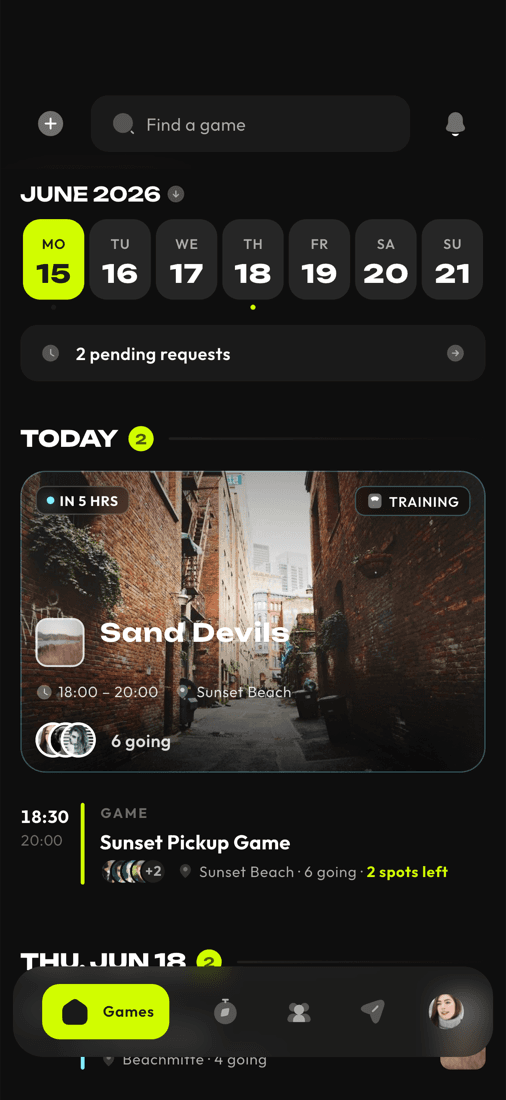
Players get a My Games tab, a Discover games tab, game creation and draft flows, filters for upcoming games, game detail pages, host controls, join requests, invited-game handling, participant approval or removal, invite suggestions, invite search, contact matching, cover image upload, and per-game notification settings. Cost handling exists at the participant and court-arrangement level so hosts can track who paid.

Mobile source: Games, Discover, My Games
Games, matchmaking, and hosting
02 / 15

Match scoring and progression

Score matches set by set, verify results, and turn games into visible progress.

Game details include match sub-routes and score recording. The scoring flow supports match creation, set score updates, ending a match, match summaries, per-player match history, and score verification votes. The summary surface includes XP, ELO changes, streaks, achievements, and a scoreboard hero.

Mobile source: Scoring, match summary, match history

03 / 15

Calendar, schedule, and agenda

Keep games, hosted events, history, and training sessions in one personal schedule.

The app includes My Games, hosting, game history, calendar views, game cards, agenda rows, and upcoming session data from training groups. Routing separates active games, hosted games, historical matches, and upcoming training.

Mobile source: Calendar, My Games, training sessions

04 / 15

Clubs and communities

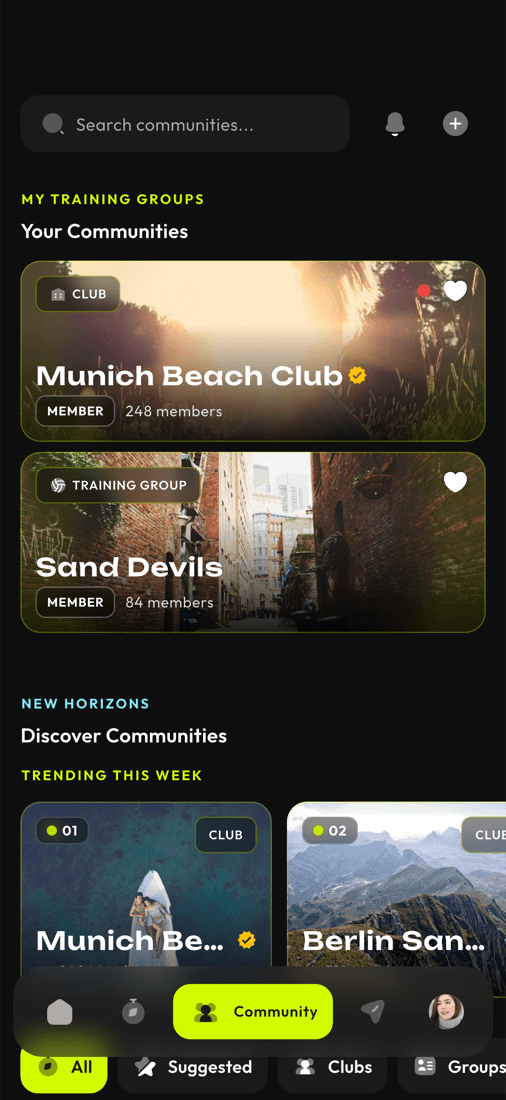
Discover, create, join, administer, and manage clubs or communities.

Community features include search, discovery rails, trending and featured club cards, create and edit flows, detail pages, membership management, member roles, fine-grained permissions, owner/admin panels, profile media upload, membership-fee previews, reporting, guest/member views, and favorite communities.

Mobile source: Communities and clubs

Clubs and communities
05 / 15

Club activity tools

Run announcements, events, polls, room lists, and activity feeds inside clubs.

Communities include announcements, event creation and editing, RSVPs, polls with voting, room lists, invited-room handling, schedule previews, activity feeds, and see-all routes. Clubs behave as active coordination hubs instead of static profile pages.

Mobile source: Announcements, events, polls, rooms

06 / 15

Training groups and sessions

Run squads with members, sessions, RSVPs, costs, invite links, and notifications.

Training groups support create and edit flows, member lists and roles, invite links and token joins, upcoming sessions, recurring session creation, session edits, RSVP state, RSVP lists, monthly costs, group costs, notification preferences, media upload, and group chat.

Mobile source: Training groups

07 / 15

Club training availability

Collect availability and plan training seasons at club level.

Community training routes support season lists, season detail, member availability windows, individual availability submission, admin views of season availability, and generated season sessions. This is the club planning layer for recurring training.

Mobile source: Club training availability

08 / 15

Training diary

Reflect on past sessions and track training patterns over time.

The training diary reads server-materialized entries, creates missing entries for older attended games, stores reflections with mood, intensity, notes, and skill focus, and exposes aggregate diary stats for charts.

Mobile source: Training diary

09 / 15

Messaging and chat

Use real-time DMs, game chat, club rooms, and training-group chat.

The chat stack includes an inbox, direct messages, message requests, new DM flows, game chat, community rooms, training group chat, room invites, chat images, replies, edit windows, read receipts, typing/live state, offline message queueing, aggregate inbox live socket, per-room live sockets, message reporting, and player blocking.

Mobile source: Chat and inbox

10 / 15

Locations, maps, and court availability

Find places to play, save favorites, add private spots, and check availability context.

Location features include a required location gate, map and list views, location detail pages, nearby listings, custom private location creation, location image upload, favorites, city discovery, and scraped court availability summaries plus per-location availability grids.

Mobile source: Locations, maps, cities

11 / 15

Player profiles and social graph

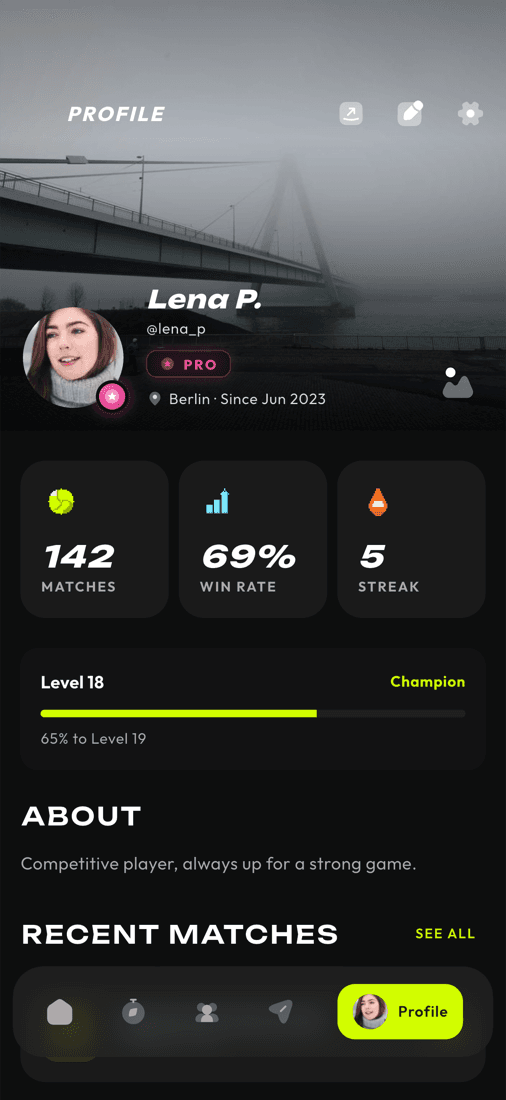
Build a player identity, connect with friends, and discover people to play with.

Profiles support onboarding, username availability checks, profile editing, avatar and banner upload, profile stats, achievements, match history, public player profile routes, friend lists, recent co-players, friend requests, user search, suggestions, mutual friends, reporting, privacy settings, and blocked-player lists.

Mobile source: Profiles, friends, social search

Player profiles and social graph
12 / 15

Rankings, leaderboards, and tournaments

Track rating, XP, seasons, achievements, and tournament context.

The mobile app includes leaderboards for rating, XP, and seasons, match history tied to scoring, achievement surfaces, tournament list and detail routes, and a read-only federation tournament rail backed by the public directory.

Mobile source: Leaderboards and tournaments

13 / 15

Discovery, search, and content

Browse games, clubs, users, cities, tournaments, and curated beach volleyball news.

Discovery includes the games feed, all-games list, search screen, user search and suggestions, explore clubs, community search, cities, scraped federation tournaments, and a public news feed. These surfaces make the app useful before a player already has a full local network.

Mobile source: Discovery, search, news

14 / 15

Notifications and preferences

Route players back into games, chats, clubs, training, and scores with granular controls.

The app has a notification inbox, unread counts, mark-read operations by notification, game, room, or training group, device registration, push preference categories for game invites, game updates, club activity, score updates, chat messages, training reminders, and diary reminders, plus deep-link handling that returns users to the right screen.

Mobile source: Notifications and preferences

15 / 15

Auth, onboarding, privacy, and support

Cover the account, safety, legal, feedback, and update surfaces around the sports flows.

Authentication uses an email-first screen and social login widgets. Onboarding collects profile setup. The app gates access on location permission, exposes legal documents while signed out or signed in, supports privacy and notification settings, account deletion, feedback by category, changelog posts from the web backend, and crash or hang reporting for operational visibility.

Mobile source: Auth, onboarding, legal, feedback

Ready to play?

Get OnSand and take your beach volleyball to the next level.

We use analytics to improve the app. Data is stored in the EU and never shared with third parties.